
The Meteomatics MCP: Weather Data That Works the Way You Do
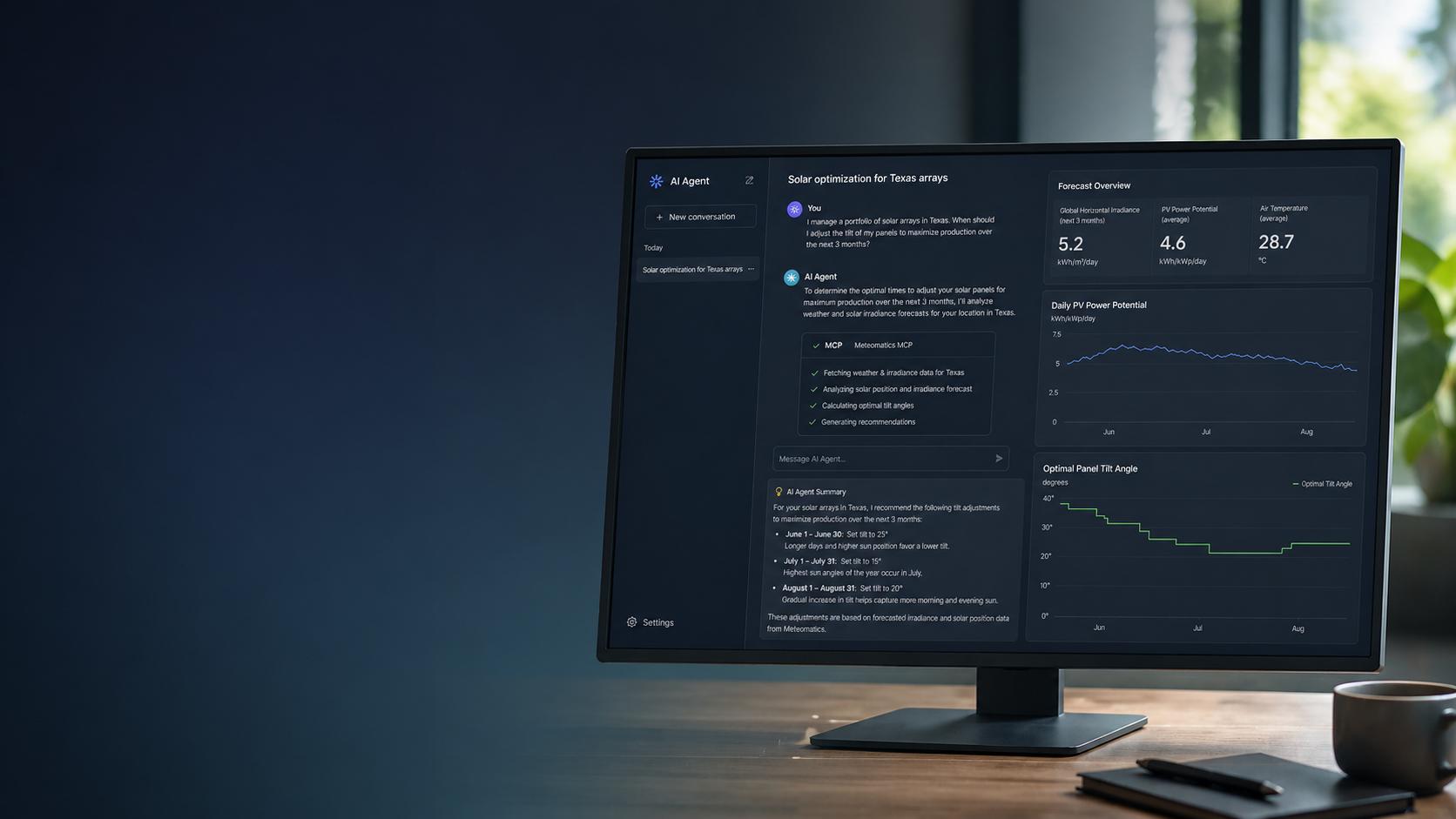
Weather data is only useful if you can actually use it. The Meteomatics MCP plugs directly into the AI agents and platforms you already work with — no custom API wrappers, no extra infrastructure, no learning curve. Just ask for what you need, and your agent handles the rest. Whether you're optimizing solar arrays, routing logistics, or building climate tools, the MCP turns complex weather data into instant, actionable answers — right inside your existing workflow.

What Is an MCP and How Do I Use It?
The Meteomatics MCP (Model Context Protocol) server exposes Meteomatics weather data tools directly to AI agents. Instead of writing API calls manually, you connect the MCP server to your agent and ask for the weather in plain language — the agent handles the rest.
Here is the MCP server URL:
Connect the MCP server to your agent. In your agent configuration, add the Meteomatics MCP as an external server.
For Claude.ai, navigate to Settings → Connectors and paste the server URL.
For API or Claude Code usage, include it in your mcp_servers array:
Authenticate
The MCP server uses your Meteomatics API credentials. You will be prompted to authenticate when connecting for the first time. Make sure your Meteomatics account has API access enabled before proceeding.
Ask for Weather Data via the MCP in Natural Language
Once connected, prompt your agent directly. The weather data powering every response comes straight from Meteomatics' high-precision forecasting platform and models. The same data trusted by enterprises worldwide. As with any AI-generated output, we recommend reviewing results before acting on them in critical workflows.

Who Is This For?
From energy operators balancing grid demand to insurers validating claims, retailers adjusting inventory, and airlines managing disruption — the Meteomatics MCP gives any team, in any industry, the ability to ask a weather question and get a precise, data-backed answer in seconds.
What Makes It Different From a Standard API Integration?
A traditional API integration still requires someone to write and maintain the code that connects your systems to the data. The MCP removes that entirely. Your agent discovers the available tools, constructs the calls, and interprets the results on its own — meaning your team spends less time on infrastructure and more time acting on insight.
Disclaimer
This feature is currently in beta. As such, not all functionalities of the Meteomatics API may be fully supported, and performance or availability may evolve over time.
Additionally, outputs generated by AI models (including large language models) should be treated as supportive guidance rather than definitive results. They may contain inaccuracies or incomplete interpretations and should always be independently validated before being used for operational or decision-making purposes.